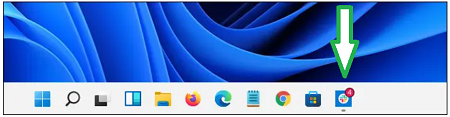
How To Turn On Icon Notifications Badges In Windows 11. In this article, you will read method to show notification badges on the taskbar icon. In Windows 11, there is a new feature in which a tiny red notification badge shows the number of unread messages in an app. If it is not showing, then it might be disabled. Here, I have discussed the method to enable the notification badge in Windows 11.
How To Turn On Icon Notifications Badges In Windows 11?
To turn the notification badge on:
1.Open Windows Settings.
2.You can use a link in the Quick Settings menu or press Windows+i on your keyboard.

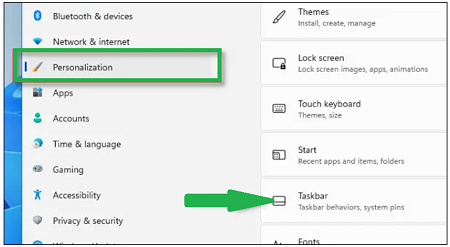
3.When it gets open, select “Personalization” in the sidebar.
4.Then click Taskbar.
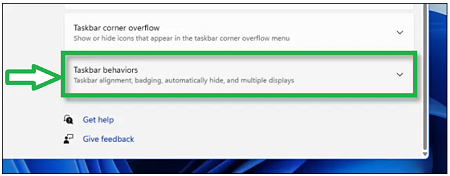
5.In Taskbar settings, select Taskbar Behaviors.
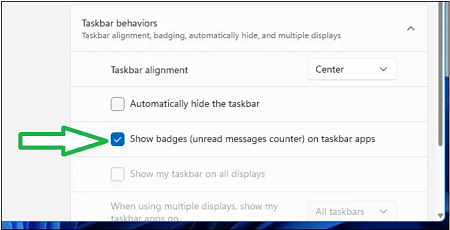
6.Check the box next to Show badges (unread messages counter) on taskbar apps option.
7.Then, close the Settings menu. Now, you will see a red numbered badge right above its icon in the taskbar.