How To Secure USB Drives With Encryption. USB drives are small, fast, and incredibly convenient—but they’re also one of the easiest ways to lose sensitive data. A misplaced flash drive can expose confidential files, personal photos, work documents, or even login credentials. That’s exactly why learning How To Secure USB Drives With Encryption is no longer optional—it’s essential.
I’ve personally seen people lose years of work just because a USB stick fell out of a pocket. Encryption could have prevented that damage instantly. In this guide, we’ll walk through USB data security methods, real-world tools, and best practices that actually work—without overcomplicating things.
Why USB Drive Security Still Matters?
Cloud storage is everywhere, yet USB drives are still heavily used for offline access, backups, and transferring files quickly. The problem? Most people ignore USB flash drive security until something goes wrong.
Unencrypted USB drives are vulnerable to:
- Theft and loss
- Malware injection
- Unauthorized data access
- Accidental sharing of sensitive files
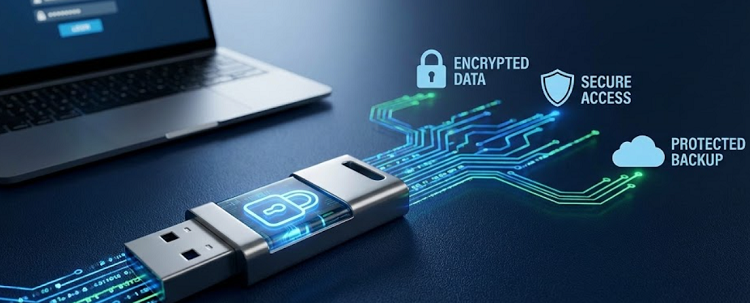
This is where encryption for portable data storage becomes a lifesaver. Encryption scrambles your data so it’s unreadable without authentication—simple as that.
How To Secure USB Drives With Encryption: The Core Concept
At its core, How To Secure USB Drives With Encryption means converting readable data into coded information using algorithms like AES encryption for USB drives. Without the correct password or key, the data is useless to anyone else.
There are three common approaches:
- Software-based encryption
- Built-in OS encryption
- Hardware-level encryption
Each method serves different users and risk levels.
Best USB Encryption Methods Compared
| Encryption Method | Security Level | Ease of Use | Best For |
|---|---|---|---|
| Software Encryption | High | Medium | Home & office users |
| OS-Based Encryption | High | Easy | Windows users |
| Hardware Encryption | Very High | Very Easy | Business & sensitive data |
This comparison highlights removable drive security best practices based on actual usage scenarios.
1. Using USB Drive Encryption Software
Third-party USB drive encryption software is one of the most flexible ways to secure data. These tools let you password protect USB drive content and often include advanced features like auto-lock and file shredding.
Popular features include:
- Strong encryption algorithms
- Cross-platform compatibility
- Hidden encrypted containers
If you want USB encryption tools free, many reputable options offer basic encryption without cost, making them ideal for casual users.
2. Encrypt Flash Drive Windows with Built-In Tools
Windows users have a powerful option already installed. BitLocker USB encryption allows you to encrypt removable drives directly from the operating system.
Why people prefer this method:
- No extra software needed
- Deep OS integration
- Supports USB drive password protection Windows 11
This method is perfect if you want to protect removable storage devices without installing anything extra.
3. Choosing a Hardware Encrypted USB Drive
A hardware encrypted USB drive encrypts data automatically using an onboard chip. No software installation. No configuration headaches.
Advantages:
- PIN-based access
- Immune to malware
- Ideal for secure USB drive for sensitive data
These drives are commonly used in healthcare, finance, and legal environments where prevent unauthorized access to USB drives is critical.
How To Secure USB Drives With Encryption Without Software
Yes, you can encrypt USB without software—but only in specific cases. Some USB drives come with built-in firmware encryption. Others rely on operating system tools.
However, this approach has limitations:
- Less customization
- Device compatibility issues
- Fewer recovery options
Still, it’s useful when you need quick data protection for removable media.
Software vs Hardware Encryption: Real Comparison
| Feature | Software Encryption | Hardware Encryption |
|---|---|---|
| Malware Protection | Medium | High |
| Ease of Use | Moderate | Very Easy |
| Cost | Free / Low | Higher |
| Performance Impact | Slight | None |
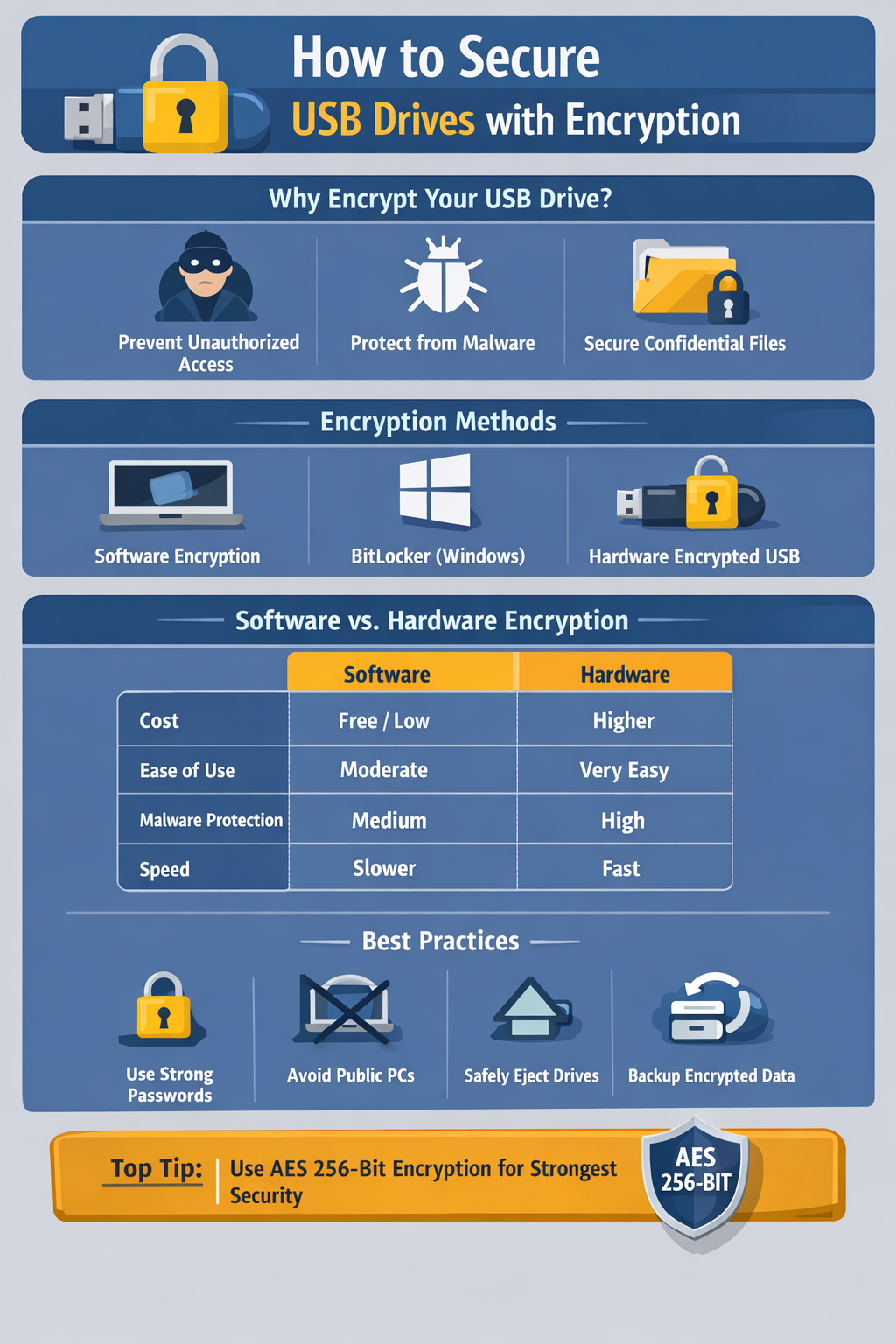
If you regularly handle protecting confidential files on USB, hardware encryption is worth the investment.
Best Practices for USB Drive Security
Even encryption can fail if users are careless. Follow these removable drive security best practices:
- Use strong, unique passwords
- Avoid using public computers
- Always eject USB drives safely
- Keep backups of encrypted data
- Update encryption tools regularly
These habits dramatically improve secure external storage devices reliability.
How To Secure USB Drives With Encryption for Business Users
For professionals, How To Secure USB Drives With Encryption goes beyond personal files. Businesses must secure client data, financial records, and proprietary information.
Recommended steps:
- Enforce mandatory encryption policies
- Use hardware-encrypted USB drives
- Limit USB access on shared systems
- Audit removable storage usage
This approach ensures secure portable storage devices across teams.
Common Encryption Mistakes to Avoid
Mistakes happen, but these are preventable:
- Forgetting encryption passwords
- Using outdated encryption standards
- Sharing encrypted USBs without instructions
- Ignoring recovery key backups
Encryption only works when paired with discipline.
Final Thoughts: Is USB Encryption Really Worth It?
Absolutely. Learning How To Secure USB Drives With Encryption protects you from data loss, privacy breaches, and serious headaches. Whether you’re using USB drive encryption software, BitLocker USB encryption, or a hardware encrypted USB drive, encryption is one of the simplest security upgrades you can make.
I’ll say it plainly—if your USB drive isn’t encrypted, it’s a liability. Fix that today.
Frequently Asked Questions (FAQ)
Q1. Can I password protect USB drive on Windows 11?
Yes, Windows 11 supports USB drive password protection Windows 11 using built-in encryption tools.
Q2. Are free USB encryption tools safe?
Most USB encryption tools free are safe if downloaded from reputable sources and kept updated.
Q3. Which encryption standard is best for USB drives?
AES encryption for USB drives is widely considered the most secure and industry-standard option.
Q4. Is hardware encryption better than software encryption?
For high-risk data, yes. A hardware encrypted USB drive offers stronger protection and ease of use.
Q5. What happens if I forget my USB encryption password?
Without a recovery key, encrypted data is usually unrecoverable—this is the trade-off for strong security.