[highlight]When bootable USB created just copy all the windows files from windows dvd[/highlight]
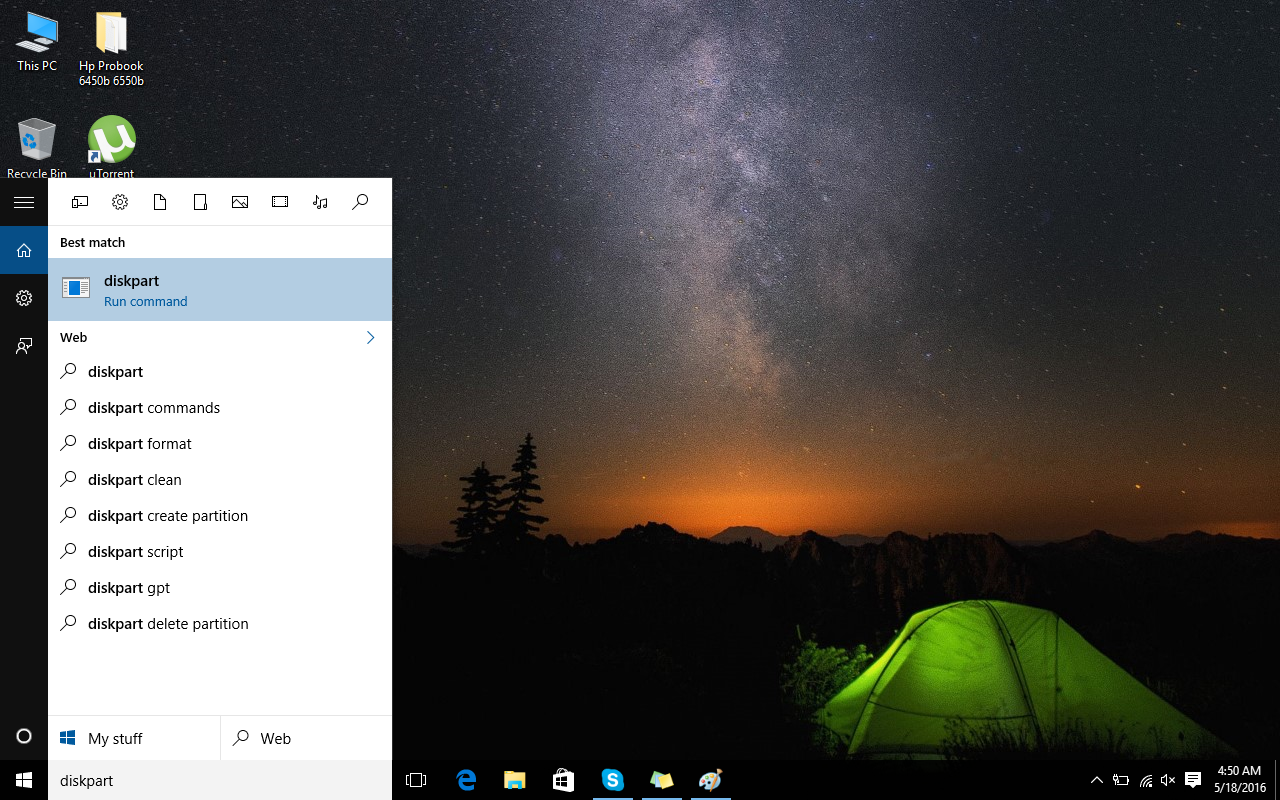
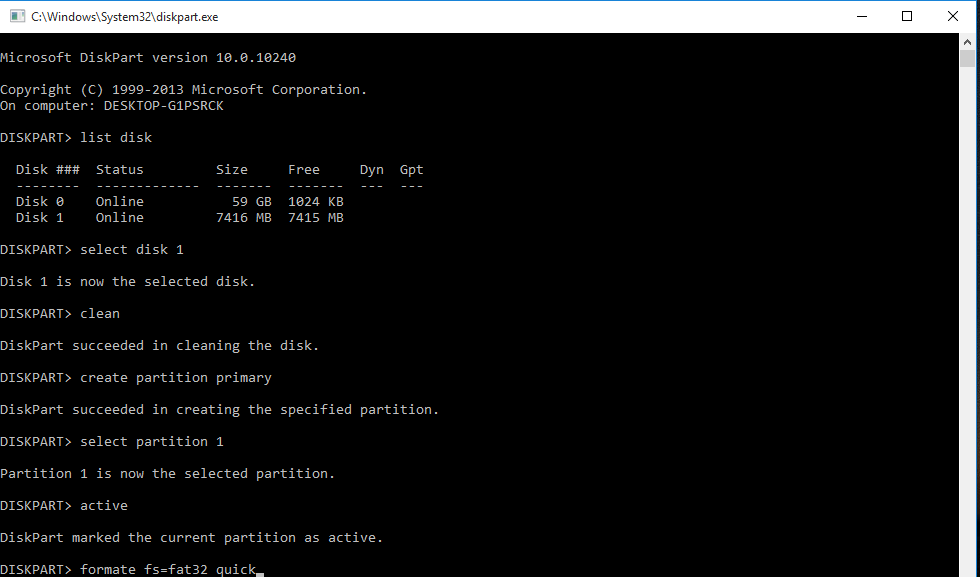
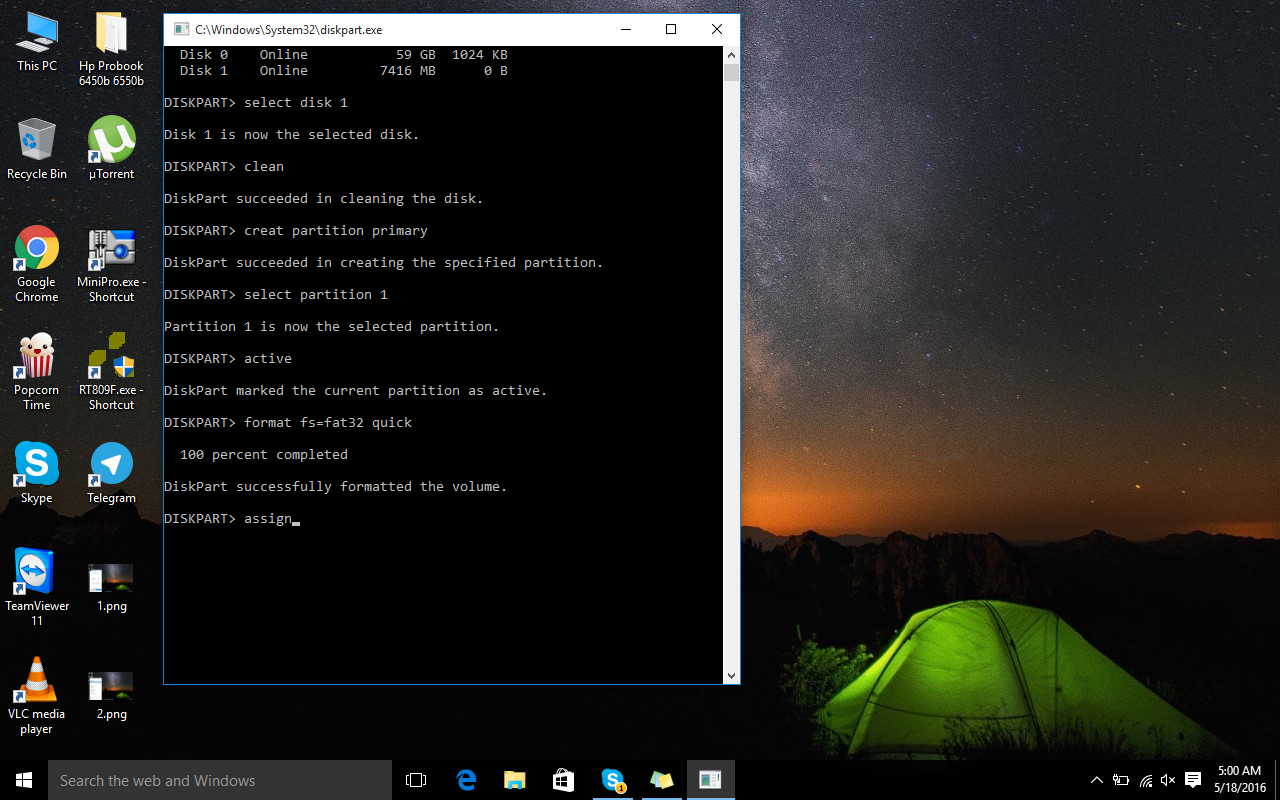
How To Make Windows USB Without Software In this post, you will come up with a new method to how to make windows USB without bootable software. It is a very demanding thing and I have a lot of requests for it. That’s why, I am sharing this with all of you. Now, you can easily make bootable windows USB without any bootable software. There is no need to worry, if you have not any bootable software or any third party software. All you have to do is that open Command Prompt and type (diskpart), if you have windows 8, 8.1 or 10. And follow the few steps given below. After that you can make bootable windows USB without any software easily. It is 100% tested procedure and hundreds of people are getting advantage from it. You can also make Linux windows from this method or any other software which need bootable software for its formation