How To Install Steam On Chrome OS. You can download Steam on compatible Chromebooks. Chromebooks can be used as a gaming device. Steam announced the download of the Steam app for Chrome OS in 2021 and in November 2022, the beta version was available. This is a full version of Steam games for Chromebooks.
How to Install Steam on Chrome OS?
Here are the steps to install Steam on a Chromebook:
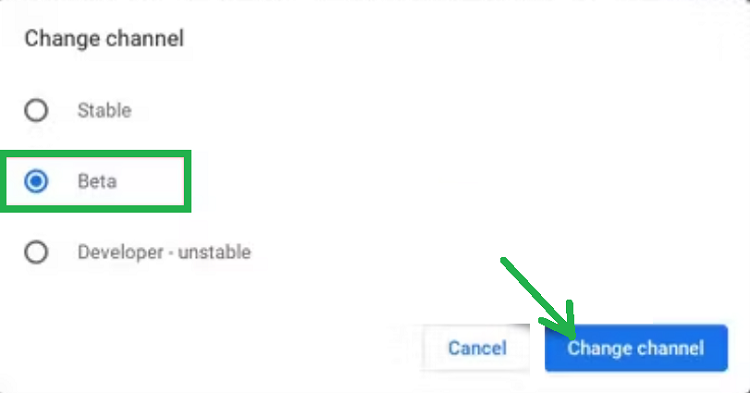
1.Switch the Chromebook to the beta channel. This will not erase any data from it.
2.Click the clock in the bottom Shelf (taskbar).
3.Open the Settings page.
4.Then go to About Chrome OS > Additional Details > Change Channel” > Beta > Change Channel.
5.Chrome OS will install an update and reboot.
6.Now, we will install Steam.
7.First, enable the feature flag.
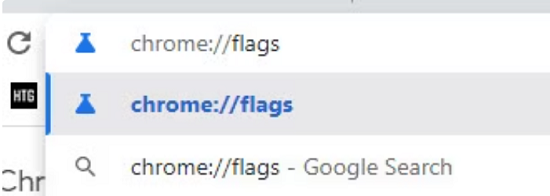
8.Open browser, type the following, and then press Enter.
chrome://flags
7.Now, write “Borealis Enabled” using the search box at the top.
8.Switch the flag to “Enabled.”

9.Now, you will be asked to relaunch the Chromebook. Do that.
10.After the restart, open the app launcher.
11.Search for Steam.
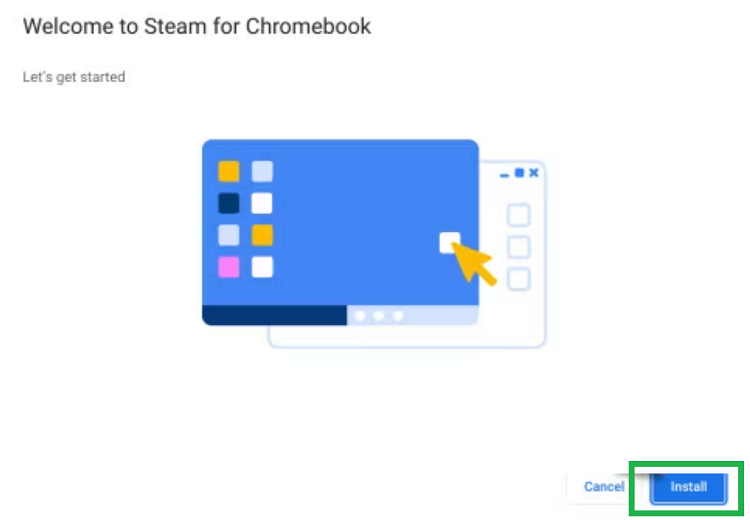
12.Open the app and follow the setup instructions.
13.Log in to your Steam account and play games.
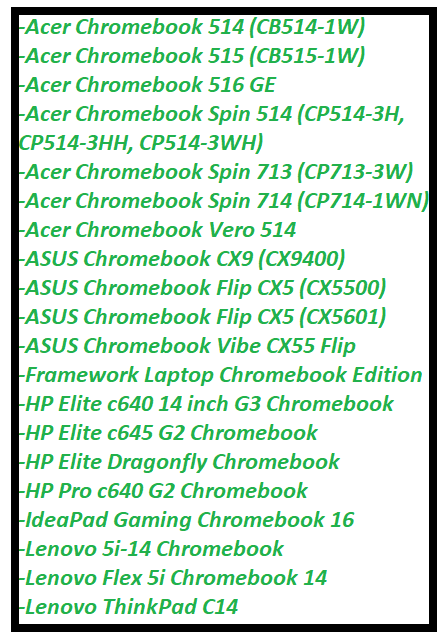
Compatible Chromebooks List That Supports Steam:
Read More: Steam Download Stuck At 100 Percent Issue