How to Check if Your Email is Hacked: Complete Guide to Recover and Secure Your Account. Your email is the gateway to your online identity. From banking details to social media accounts, everything links back to your email address. But what happens if hackers gain access to it? Learning how to check if your email is hacked is essential to protect your digital life from serious damage. In this guide, we’ll explore the signs your email has been hacked, how to verify a breach, recovery steps, and preventive security measures to stop it from happening again.
Why It’s Important To Check If Your Email Is Hacked
Your email holds sensitive personal and financial information. When compromised, attackers can reset your passwords, send phishing emails, or steal identities. That’s why knowing how to check if your email is hacked early can save you from extensive loss.
Cybercriminals often sell stolen emails on the dark web, making dark web email check tools vital. Regular email account security checks help ensure your accounts remain safe and uncompromised.
Common Signs Your Email Has Been Hacked
Recognizing the signs your email has been hacked early helps you act before it’s too late. Below are some common indicators:
| Suspicious Activity | Possible Cause | Recommended Action |
|---|---|---|
| Unknown sent messages | Account hijacked by hacker | Change your email password immediately |
| Password not working | Credentials stolen | Use recovery email or phone number |
| Inbox contains read/unread messages you didn’t open | Unauthorized access | Log out from all devices |
| Unexpected spam or phishing complaints from contacts | Your account is used to spam others | Scan for malware or reset password |
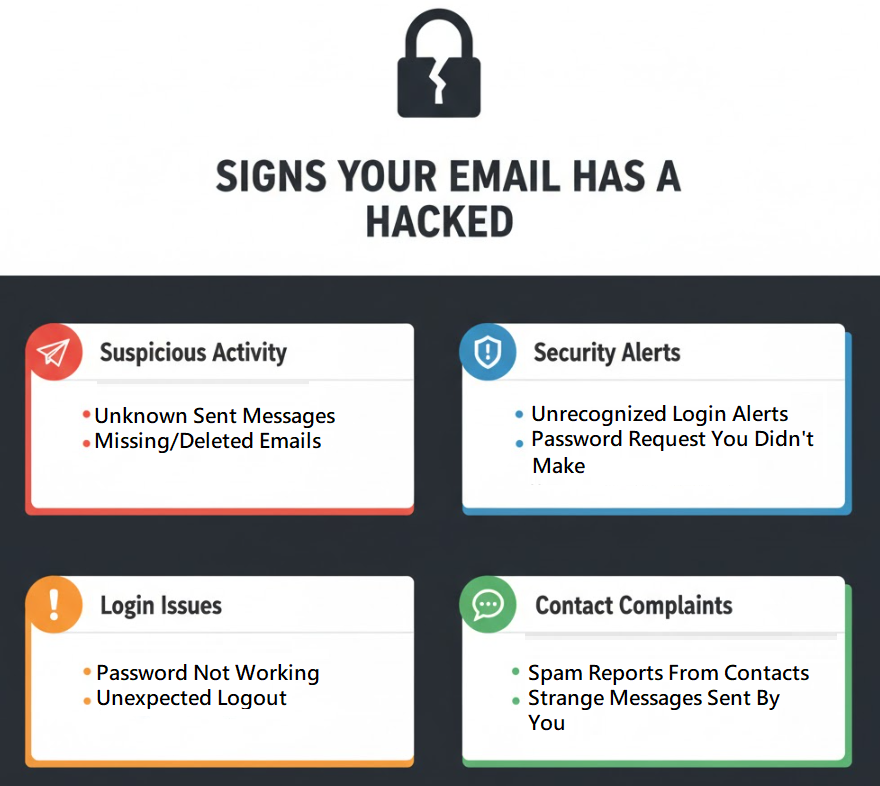
If any of these symptoms appear, act quickly to recover hacked email account access.
How to Know if Someone Is Using Your Email Without Permission
One of the trickiest parts is figuring out how to know if someone is using your email. Hackers often remain silent while forwarding your emails or collecting data secretly.
Here are the top ways to verify:
- Check Login Activity: Most services like Gmail and Outlook allow you to see suspicious login activity alerts — including device, time, and IP address.
- Review Security Notifications: Look for unusual sign-ins or password reset requests.
- Use a Data Leak Email Checker: Services like Have I Been Pwned help you check email breaches online.
- Monitor Account Behavior: Unusual spam or unread messages can mean hackers are accessing your inbox silently.
These checks form the foundation of an email account security check, ensuring that only you have access.
How to Check if Your Email Is Hacked on Gmail and Outlook
Every platform provides its own recovery and security verification process. Let’s explore the steps for the two most popular email services.
A. Gmail Account Hacked Recovery
If you suspect your Gmail is compromised:
- Go to your Google Account Security Page.
- Check the Recent Security Activity section.
- If you see unfamiliar devices or locations, click Secure Your Account.
- Change hacked email password immediately.
- Enable two-factor authentication for email security for better protection.
B. Outlook Email Hacked: What to Do
For Outlook or Hotmail users:
- Visit the Microsoft Account Security page.
- Under “Recent Activity,” review unfamiliar sign-ins.
- Use the “Recover hacked email account” option if locked out.
- Activate two-step verification to prevent email hacking attempts in the future.
These steps help you verify email integrity and secure it from further damage.
Use Online Tools to Check Email Breach or Data Leaks
Regular email breach checks can alert you if your information appears in public leaks.
Here’s a comparison of some reliable tools:
| Tool Name | Purpose | Best Feature |
|---|---|---|
| Have I Been Pwned | Check email breach online | Lists all known data breaches linked to your email |
| DeHashed | Data leak email checker | Searches multiple sources, including the dark web |
| Firefox Monitor | Email integrity verification | Alerts users when their email appears in a new data breach |
By using these tools monthly, you can stop hackers from accessing email accounts before damage occurs.
Steps to Recover a Hacked Email Account
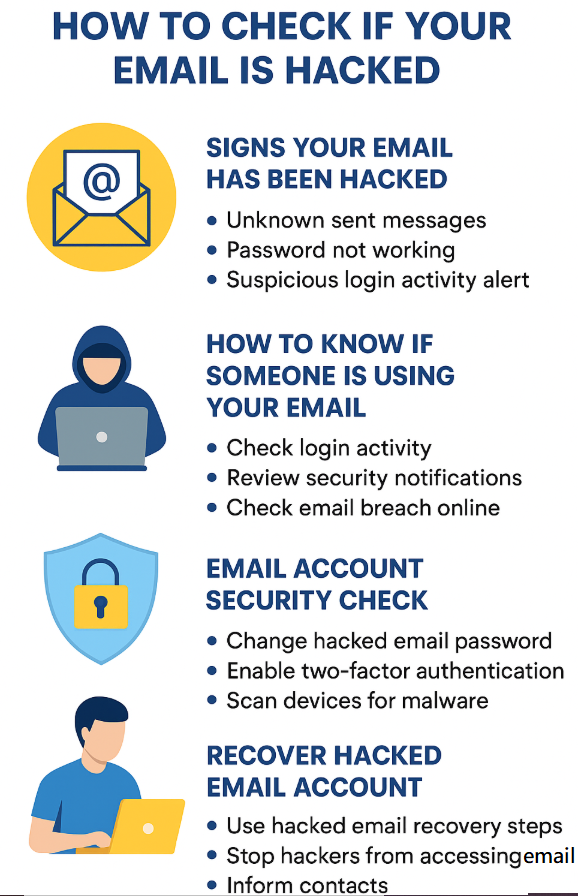
Once you’ve confirmed your email is compromised, follow these hacked email recovery steps immediately:
- Reset Your Password: Use a strong, unique password with mixed-case letters, numbers, and symbols.
- Use Account Recovery Options: Follow the provider’s recovery instructions for verification.
- Check Forwarding and Filters: Remove any suspicious auto-forwarding rules set by hackers.
- Enable Two-Factor Authentication: Adds a protective layer beyond just passwords.
- Scan Devices for Malware: A compromised system can reveal your new password again.
- Inform Contacts: Warn friends and business contacts not to click any links received from your hacked email.
By taking these measures, you ensure your email password compromised issue is resolved permanently.
Advanced Cybersecurity Tips for Email Protection
Preventing future attacks requires proactive measures. Follow these cybersecurity tips for email protection:
| Security Measure | Purpose | Implementation Method |
|---|---|---|
| Two-Factor Authentication | Prevent unauthorized access | Enable via email settings |
| Password Manager | Store complex passwords securely | Use tools like Bitwarden or 1Password |
| Security Questions | Add recovery verification | Keep answers private and unique |
| Regular Security Checkups | Detect early threats | Schedule monthly email account security checks |
These small actions help you prevent email hacking attempts effectively.
8. How to Secure Your Online Accounts After an Email Hack
If one email account is hacked, there’s a high chance that other online accounts linked to it might also be at risk. To secure your online accounts, follow these steps:
- Change passwords for all linked accounts (banking, shopping, social media).
- Review connected apps and remove unknown ones.
- Perform a dark web email check to see if your credentials are exposed.
- Update recovery phone numbers and alternate email addresses.
Taking these steps ensures that hackers can’t exploit your old credentials elsewhere.
Prevent Email Hacking Attempts: Best Practices
Here are some practical measures to stop hackers from accessing email in the future:
- Beware of Phishing: Learn email phishing attack warning signs such as fake login pages and urgent messages.
- Avoid Public Wi-Fi for Login: Public networks make your email vulnerable to packet sniffing.
- Keep Software Updated: Outdated browsers or apps increase vulnerability.
- Verify Email Integrity Regularly: Conduct periodic email account security checks to ensure everything is normal.
- Enable Recovery Alerts: Turn on suspicious login activity alerts to get notified of unusual sign-ins.
These actions drastically reduce your chances of falling victim to another cyberattack.
Quick Recap: What to Do If Your Email Is Hacked
Here’s a simple summary for quick reference:
| Action Step | Why It’s Important |
|---|---|
| Change your password | Prevent further unauthorized access |
| Run an email breach check | Identify data leaks |
| Enable 2FA | Adds an extra security layer |
| Monitor login history | Detect unknown activity |
| Use hacked email recovery steps | Restore full account control |
By following these, you can recover and secure your email swiftly.
Conclusion:
Your email is the digital key to your online world. Knowing how to check if your email is hacked helps you act fast and minimize damage. Whether it’s through email breach checks, enabling two-factor authentication, or performing regular email account security checks, proactive protection is the best defense. Stay alert for suspicious login activity alerts, verify email integrity regularly, and never ignore potential phishing attack warning signs. A few minutes of precaution can save you from a lifetime of digital trouble.
FAQs – How to Check if Your Email is Hacked
Q1. What is the first thing I should do if my email is hacked?
Immediately change your hacked email password and enable two-factor authentication for email security.
Q2. How can I check if my email has been in a data breach?
Use Have I Been Pwned or any data leak email checker to verify whether your email appears in known breaches.
Q3. Can hackers access other accounts through my email?
Yes. Most online accounts are linked to your email. Always secure your online accounts once an email compromise is detected.
Q4. How can I prevent email hacking in the future?
Regular email account security checks, use of two-factor authentication, and identifying email phishing attack warning signs are key to prevention.