NVMe SSD vs SATA SSD — The Complete Guide for Windows Users. Upgrading from an old hard drive to a solid-state drive (SSD) is one of the best ways to boost your Windows PC performance. But the big question remains: which one should you choose — NVMe SSD or SATA SSD?
In this detailed guide, we’ll explore everything about NVMe SSD vs SATA SSD, their performance difference, speed comparison, installation process, and real-world benefits for Windows 10 and Windows 11 PCs.
Whether you’re a gamer, content creator, or just want faster boot times, this article explains every key difference and helps you make the right choice.
⚙️ What Is an SSD and Why It Matters for Windows Performance
An SSD (Solid State Drive) is a modern storage device that replaces traditional hard drives (HDDs). It uses flash memory chips instead of spinning disks, resulting in faster read/write speeds, quicker boot times, and improved reliability.
When comparing NVMe SSD vs SATA SSD for Windows, both offer massive speed boosts over HDDs, but NVMe takes performance to the next level.
NVMe SSD vs SATA SSD — Key Difference Explained
The difference between NVMe and SATA SSD lies mainly in their data transfer interface and speed capabilities. SATA drives use the older AHCI protocol designed for mechanical hard drives, while NVMe drives use the PCI Express (PCIe) interface built specifically for solid-state storage.
| Feature | SATA SSD | NVMe SSD |
|---|---|---|
| Interface | SATA III | PCIe Gen 3/4/5 |
| Protocol | AHCI | NVMe |
| Max Speed | Up to 550 MB/s | Up to 7000 MB/s |
| Latency | Moderate | Very Low |
| Ideal For | Basic computing | High-end gaming, editing |
| Form Factor | 2.5-inch | M.2 / PCIe card |
This NVMe vs SATA performance comparison clearly shows that NVMe SSDs outperform SATA SSDs in nearly every category, offering higher throughput, better latency, and improved multitasking capabilities.
NVMe vs SATA Speed Test Results
Several benchmark tools like CrystalDiskMark and ATTO show clear evidence of the NVMe vs SATA speed test gap. NVMe drives often read and write data up to 10x faster than SATA drives.
| Drive Type | Sequential Read Speed | Sequential Write Speed | Boot Time (Windows 11) |
|---|---|---|---|
| SATA SSD | 500 MB/s | 450 MB/s | ~20 seconds |
| NVMe SSD | 3500–7000 MB/s | 3000–6500 MB/s | ~7 seconds |
As you can see, the Windows boot speed NVMe vs SATA comparison is astonishing — NVMe drives drastically reduce system startup and application loading times.
Installing Windows on NVMe SSD
To install Windows on NVMe SSD, make sure your system supports NVMe through BIOS/UEFI settings. Most modern motherboards and laptops come with M.2 NVMe slots, making installation simple.
Follow these steps:
- Insert your M.2 NVMe SSD into the dedicated slot.
- Open BIOS and ensure UEFI boot mode is enabled.
- Use a Windows installation USB drive.
- Select your NVMe SSD during installation.
- After installation, install Windows 11 NVMe driver support for optimal performance.
Installing Windows on an NVMe SSD ensures lightning-fast boot times, app launches, and file transfers — ideal for anyone upgrading from SATA SSD or HDD.
NVMe SSD vs SATA SSD for Windows 10 and Windows 11
If you’re using Windows 10, a SATA SSD will already make your PC significantly faster. However, Windows 11 PCs are optimized to take full advantage of NVMe SSDs.
| Windows Version | Best SSD Type | Reason |
|---|---|---|
| Windows 10 | SATA SSD or NVMe | Balanced performance |
| Windows 11 | NVMe SSD | Designed for faster storage |
| Windows 11 Pro | PCIe 4.0 NVMe | High-end workflows and gaming |
That’s why tech experts recommend upgrading from SATA to NVMe SSD when switching to Windows 11 for better multitasking and responsiveness.
PCIe NVMe vs SATA — Interface Breakdown
When comparing PCIe NVMe vs SATA, PCIe provides a much larger data lane for information to travel, making NVMe storage drastically faster. SATA uses an older interface limited to 6 Gbps, while PCIe Gen 4 and Gen 5 can exceed 32 Gbps.
The M.2 NVMe vs 2.5-inch SATA SSD difference is also notable — M.2 drives are smaller, faster, and directly connect to the motherboard, eliminating cable clutter.
Gaming Performance — NVMe vs SATA SSD
For gamers, gaming performance NVMe vs SATA SSD shows significant improvements in loading screens, game installations, and texture streaming.
Although FPS (frames per second) may not change dramatically, the speed difference NVMe vs SATA on Windows provides smoother transitions and shorter load times.
If you frequently play open-world or resource-heavy games, NVMe SSD vs SATA SSD which is better becomes an easy choice — NVMe wins hands down.
Cost Difference Between NVMe and SATA SSD
While NVMe drives are faster, they’re also slightly more expensive. However, prices have dropped in recent years, narrowing the cost difference between NVMe and SATA SSD considerably.
| Drive Type | Average Cost (1TB) | Performance Level | Best For |
|---|---|---|---|
| SATA SSD | $45–$60 | Mid-level | Budget users |
| NVMe SSD | $65–$90 | High-end | Power users, gamers |
If your budget allows, does NVMe make Windows faster? — absolutely. The investment in speed and future-proofing easily justifies the price.
Reliability and Lifespan
A key part of the NVMe SSD vs SATA SSD reliability debate is endurance. NVMe drives are built for high-performance workloads and typically have higher TBW (Terabytes Written) ratings.
Additionally, NVMe SSDs use better error correction and thermal management technologies. For professionals, video editors, or coders, this reliability ensures long-term performance stability.
How to Upgrade from SATA to NVMe SSD Without Data Loss
Many Windows users want to upgrade from SATA to NVMe SSD without reinstalling their OS. This can be done through cloning software like Macrium Reflect or EaseUS Todo Backup.
Steps:
- Connect your new NVMe SSD using an adapter or spare M.2 slot.
- Clone your old SATA SSD to the NVMe drive.
- Enter BIOS, set NVMe as your boot drive.
- Reboot and enjoy enhanced performance.
This process ensures a seamless transition with no data loss, faster boot speeds, and a more responsive Windows experience.
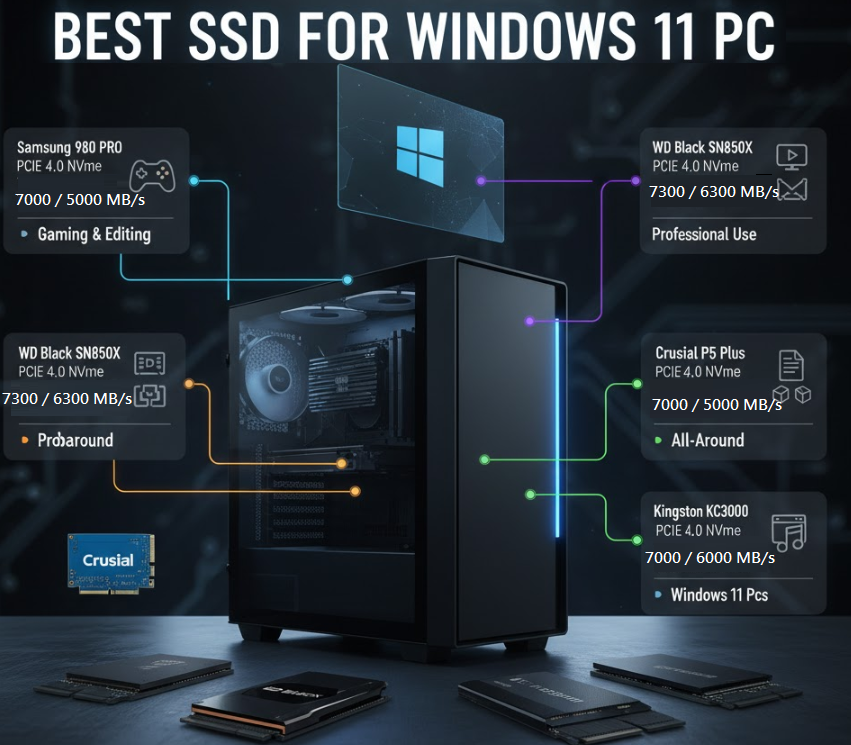
Best SSD for Windows 11 PC
When shopping for the best SSD for Windows 11 PC, consider performance, durability, and PCIe generation. Here are a few top-rated NVMe options:
| Model | Interface | Read/Write Speed | Best Use Case |
|---|---|---|---|
| Samsung 980 PRO | PCIe 4.0 NVMe | 7000 / 5000 MB/s | Gaming & editing |
| WD Black SN850X | PCIe 4.0 NVMe | 7300 / 6300 MB/s | Professional use |
| Crucial P5 Plus | PCIe 4.0 NVMe | 6600 / 5000 MB/s | All-around |
| Kingston KC3000 | PCIe 4.0 NVMe | 7000 / 6000 MB/s | Windows 11 PCs |
These SSDs ensure you get top-tier performance, low latency, and Windows 11 NVMe driver support right out of the box.
SSD Upgrade for Windows PC — Performance Overview
Combining RAM upgrades with SSD installation provides a well-balanced performance improvement. If your system still runs on HDD or an older SATA SSD, upgrading to NVMe will bring significant speed gains.
A well-planned SSD upgrade for Windows PC not only improves responsiveness but also extends hardware lifespan and efficiency
🧾 Final Thoughts: NVMe SSD vs SATA SSD — Which Should You Choose?
When comparing NVMe SSD vs SATA SSD, the answer depends on your usage:
- For casual users or office work: SATA SSDs are cost-effective and plenty fast.
- For gamers, creators, and professionals: NVMe SSDs deliver unmatched speed and reliability.
- For future-proof builds: NVMe drives are the best investment long-term.
In short, if performance, speed, and reliability are priorities, NVMe SSD vs SATA SSD for Windows — NVMe wins every time.
Frequently Asked Questions (FAQ)
Q1. Does NVMe make Windows faster?
Yes! NVMe drives provide much faster boot times, app loading, and file transfers compared to SATA SSDs.
Q2. Can I install Windows on NVMe SSD directly?
Absolutely. Just ensure your motherboard supports NVMe and that UEFI boot mode is enabled before installation.
Q3. Is it worth upgrading from SATA to NVMe SSD?
Yes, especially if you’re using Windows 11 or performing tasks like gaming, 4K video editing, or software development.
Q4. What’s the difference between M.2 NVMe vs 2.5-inch SATA SSD?
M.2 NVMe drives are faster and connect directly to the motherboard, while 2.5-inch SATA SSDs use cables and offer lower speeds.
Q5. Are NVMe SSDs reliable?
Definitely. NVMe SSDs feature advanced error correction, power management, and longer lifespans compared to traditional SATA SSDs.