How to Build AI Workflows Without Coding. Artificial intelligence is no longer limited to developers and data scientists. Today, almost anyone can create smart automations using modern no-code platforms. Whether you run a blog, online store, agency, or small business, learning How to Build AI Workflows Without Coding can save time, reduce repetitive work, and improve productivity in ways that felt impossible just a few years ago.
The best part? You don’t need Python, machine learning expertise, or expensive enterprise software anymore. Modern no-code artificial intelligence platforms now provide visual builders, templates, and automation systems that help beginners create intelligent workflows within minutes.
In fact, many businesses now use AI-powered automation daily without hiring programmers at all. Content creation, customer support, lead management, data entry, and email responses can all be automated using simple drag-and-drop interfaces.
So how does it actually work? And which tools should you use?
Let’s break it down step by step.
Why Businesses Are Using No-Code AI Automation
Traditional automation used to be complicated. Companies had to hire developers, configure APIs manually, and maintain custom systems. That’s changing quickly because no-code AI automation platforms simplify everything.
Now you can connect apps visually, create intelligent triggers, and automate decisions without writing a single line of code.
Here are some reasons businesses are adopting automated business workflows:
- Faster task completion
- Reduced operational costs
- Better customer engagement
- Increased team productivity
- Less manual repetitive work
Even freelancers and solo creators are using AI productivity tools to automate research, email sorting, social media posting, and chatbot replies.
And honestly? Once you build your first workflow, you’ll probably wonder why you didn’t start earlier.
Best Tools for How to Build AI Workflows Without Coding
Choosing the right platform matters a lot. Some tools focus on marketing automation, while others specialize in AI-generated content or chatbot systems.
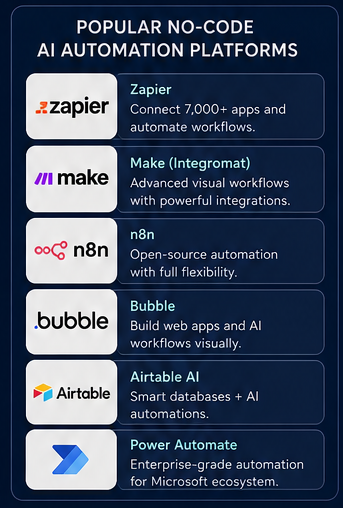
Best No-Code AI Automation Platforms
| Platform | Best Use Case | Key Feature | Beginner Friendly |
|---|---|---|---|
| Zapier | App automation | Massive app integrations | Yes |
| Make | Advanced workflows | Visual workflow editor | Moderate |
| n8n | Flexible automation | Open-source workflows | Moderate |
| Bubble | Web app creation | No-code app builder | Yes |
| Airtable AI | Data workflows | AI-powered databases | Yes |
| Microsoft Power Automate | Enterprise automation | Deep Microsoft integration | Moderate |
These AI automation platforms help users create automated AI processes visually rather than through programming.
Some are extremely beginner-friendly, while others offer advanced customization for scaling businesses.
Understanding AI Workflow Builders
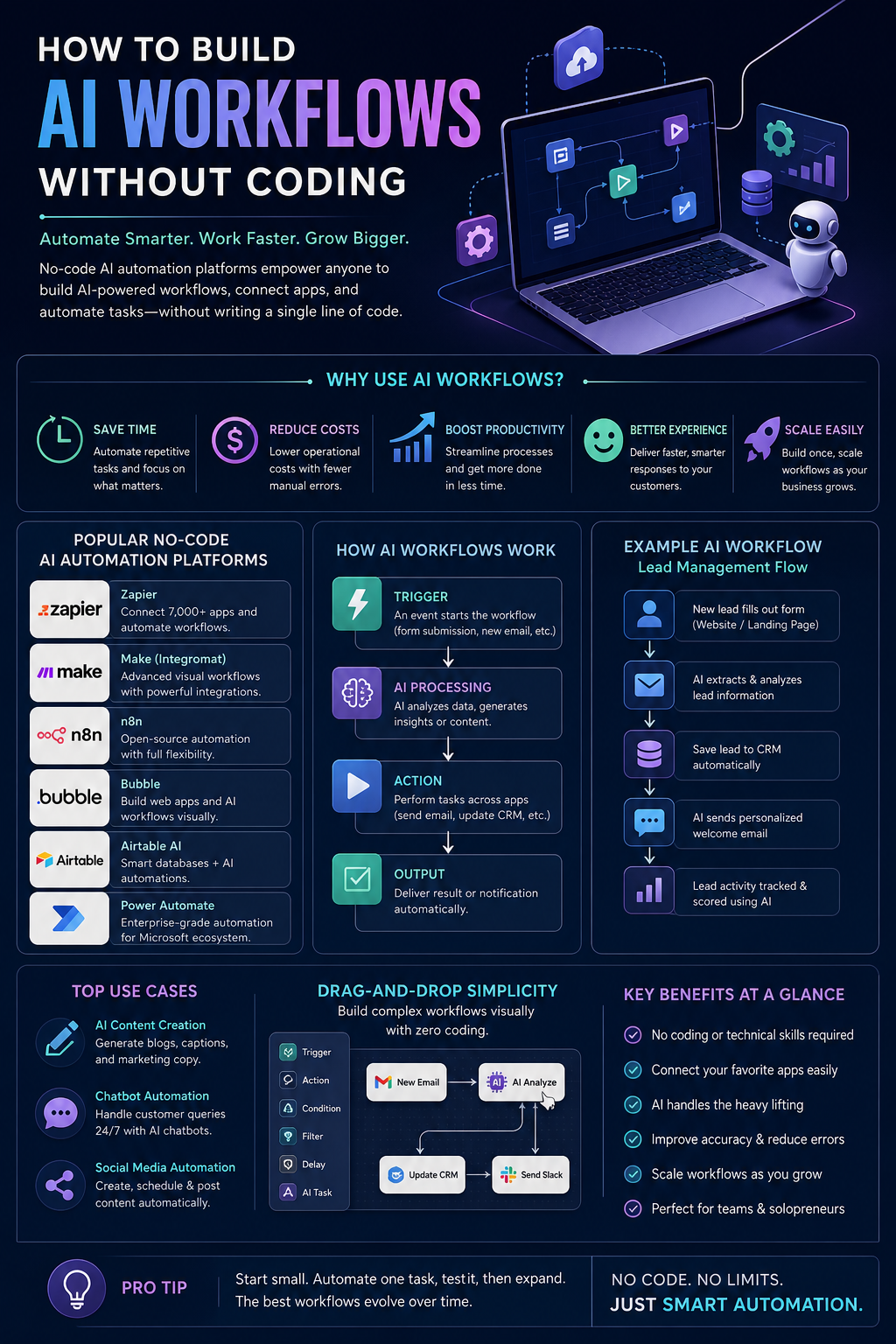
An AI workflow builder is essentially a platform that connects apps, actions, and AI systems together into one automated process.
Think of it like digital dominoes.
For example:
- A customer fills out a form
- AI analyzes the request
- The system generates a response
- A notification gets sent automatically
- Customer data is stored in a CRM
All this can happen within seconds using workflow automation software.
Most platforms now include a visual workflow editor, meaning you simply drag blocks together instead of coding logic manually.
Pretty convenient, right?
How to Build AI Workflows Without Coding Step by Step
1. Identify Repetitive Tasks
Before creating anything, figure out which tasks waste the most time.
Good workflow candidates include:
- Email responses
- Lead qualification
- Content generation
- Social media posting
- Customer support
- Data organization
This is where AI process automation becomes valuable. You focus on strategic work while AI handles repetitive operations.
2. Choose Drag-and-Drop AI Tools
Modern drag-and-drop AI tools simplify workflow creation dramatically. Most platforms provide ready-made templates so beginners can launch quickly.
Here’s an example:
Common AI Workflow Examples
| Workflow Type | AI Function | Business Benefit |
|---|---|---|
| Email Automation | AI-generated replies | Saves support time |
| Chatbot Workflow | Smart customer responses | 24/7 assistance |
| Content Workflow | AI content generation | Faster publishing |
| CRM Automation | Lead scoring | Better sales targeting |
| Social Media Workflow | Auto captions & scheduling | Consistent posting |
These AI integration tools connect services like Gmail, Slack, Notion, Shopify, WordPress, and CRMs into one streamlined system.
And honestly, setting them up is often easier than learning spreadsheet formulas.
How to Build AI Workflows Without Coding for Content Creation
Content creators are among the biggest users of no-code business automation today.
A simple content workflow may look like this:
- AI generates blog outlines
- Headlines are optimized automatically
- Images are created using AI tools
- Posts get scheduled to social media
- Analytics reports are generated weekly
This approach helps creators automate tasks with AI while staying focused on creativity.
What’s interesting is that many successful bloggers now rely heavily on smart workflow automation solutions to scale their websites faster.
Not fully replacing human work — just removing the boring parts.
Using Chatbot Workflow Automation for Customer Support
One of the easiest automation systems to build is customer support.
Modern chatbot workflow automation tools can answer FAQs, qualify leads, and even process bookings automatically.
Benefits of Chatbot Workflow Automation
| Feature | Traditional Support | AI Chatbot Workflow |
|---|---|---|
| Availability | Limited hours | 24/7 |
| Response Time | Minutes or hours | Instant |
| Scaling | Requires staff | Easily scalable |
| Cost | High | Lower operational cost |
| Customer Experience | Depends on workload | Consistent responses |
Many companies use AI-powered automation to reduce support tickets while improving response speed.
Of course, AI chatbots aren’t perfect. Some conversations still require human interaction. But for repetitive questions? They work surprisingly well.
Common Mistakes Beginners Make
When learning How to Build AI Workflows Without Coding, beginners often try to automate everything immediately.
That usually creates messy systems.
Instead:
- Start small
- Test workflows carefully
- Avoid unnecessary complexity
- Monitor automation results regularly
Another common mistake is relying too heavily on automation without human review.
AI can save time, yes. But it still needs oversight.
Especially when customer communication or financial data is involved.
Best Industries for AI Workflow Automation
Almost every industry can benefit from AI workflow builder systems.
Here are some examples:
- E-commerce stores
- Marketing agencies
- Bloggers and publishers
- SaaS companies
- Healthcare administration
- Real estate businesses
- Educational platforms
These businesses increasingly use beginner-friendly AI automation tools to improve efficiency without hiring technical teams.
Even small startups now compete with larger companies thanks to affordable AI automation platforms.
That’s a pretty major shift.
Security and Privacy Considerations
Before connecting sensitive apps, review each platform’s security policies carefully.
Some important tips:
- Enable two-factor authentication
- Limit app permissions
- Use secure integrations only
- Review automation logs regularly
- Avoid sharing sensitive data unnecessarily
Good workflow automation software should provide encryption and permission management features.
Security matters more than convenience in the long run.
Future of No-Code Artificial Intelligence Platforms
The future looks incredibly promising for no-code machine learning tools and workflow automation systems.
We’re already seeing platforms that can:
- Build workflows automatically from prompts
- Analyze customer behavior in real time
- Predict sales trends
- Generate intelligent reports
- Improve automations using AI feedback loops
Soon, businesses may build entire operational systems using only conversational interfaces.
And honestly, we’re not that far away anymore.
The rise of build AI systems without programming solutions is making advanced technology accessible to almost everyone.
Final Thoughts on How to Build AI Workflows Without Coding
Learning How to Build AI Workflows Without Coding is becoming one of the most practical digital skills for businesses and creators today.
You no longer need a technical background to automate workflows, connect applications, or create intelligent systems. Thanks to modern AI integration tools, visual builders, and drag-and-drop AI tools, automation is now accessible to beginners as well as professionals.
The key is starting simple.
Don’t try building massive systems immediately. Focus on one repetitive task first. Then slowly expand your workflow once you understand how automation behaves in real-world situations.
Over time, these smart workflow automation solutions can dramatically improve productivity, reduce manual effort, and help businesses scale faster without large teams.
And perhaps the biggest advantage? You can now create automated AI processes using intuitive interfaces instead of complex programming languages.
That changes everything.
FAQ
What is a no-code AI workflow?
A no-code AI workflow is an automated process built using visual tools instead of programming. Users can connect apps, triggers, and AI actions through drag-and-drop interfaces.
Which is the best AI workflow builder for beginners?
Zapier and Make are among the best beginner-friendly platforms because they offer simple interfaces, templates, and large app integration libraries.
Can small businesses use AI automation?
Yes. Small businesses widely use AI-powered automation for customer support, email marketing, lead management, and content workflows.
Are no-code machine learning tools expensive?
Many no-code machine learning tools offer free plans or affordable pricing for small teams and freelancers.
Is coding required for AI process automation?
No. Modern AI process automation platforms allow users to build workflows visually without programming knowledge.